The Purge Tower in 3D Printing: The Secret to Successful Multicolor Printing
Multicolor or multi-material 3D printing is a fascinating advancement, but it comes with a challenge: how do you change colors cleanly without contaminating the new one? This is where the purge tower comes in. This small structure is the essential element that guarantees sharp and accurate colors on your most complex prints.
What is a purge tower?

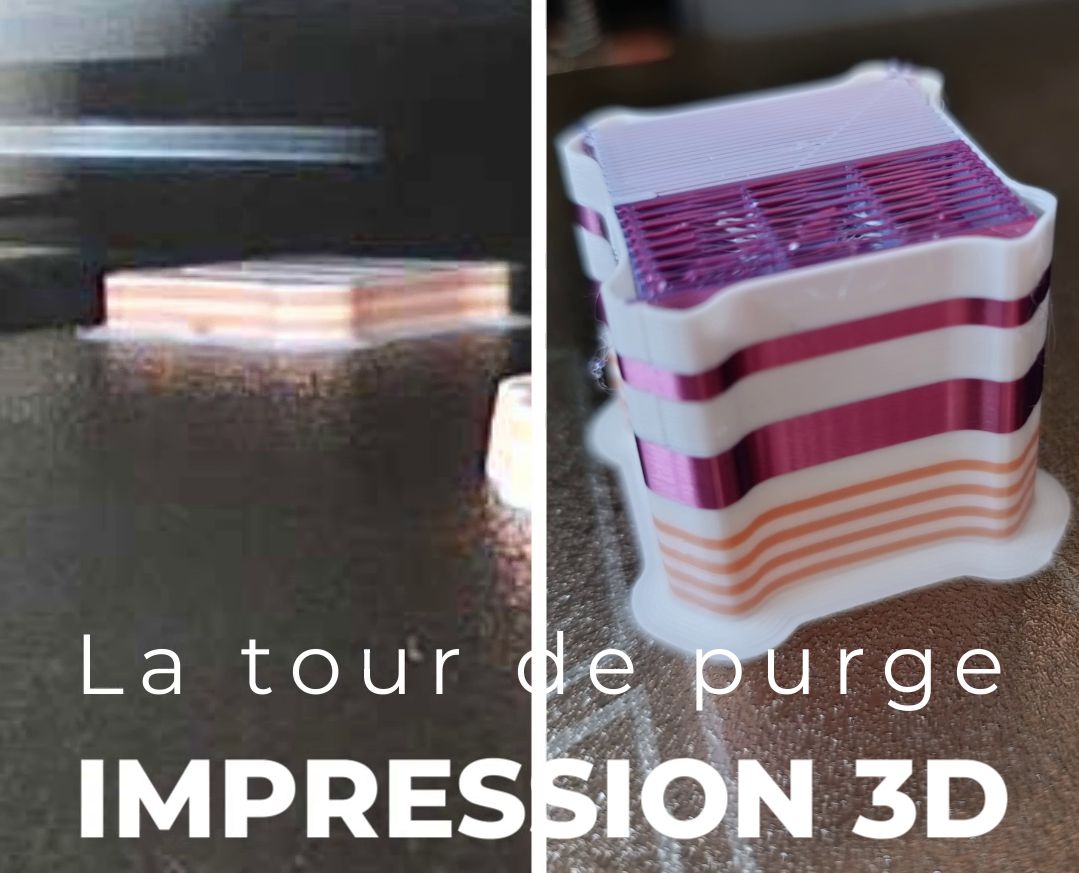
A purge tower is a small solid structure, typically a square or rectangle, that is printed alongside your main object. It is activated automatically by your slicing software (slicer) when you print in multiple colors or with multiple materials.
Its role is simple but crucial: each time the printer switches filaments (for example, from white to black), it must first purge the old filament from the nozzle. The purge tower is where this blend of filaments is extruded until the new color is pure and ready to be applied to your final part.
Why is the purge tower essential?
The purge tower is the key to achieving high-quality multicolor prints.
- Sharp and vibrant colors: Without a purge tower, filament from the previous color would remain in the nozzle, mixing with the new color. This would result in dull tones, blobs, or dirty color transitions that would ruin the appearance of your part.
- Adhesion and reliability: By extruding a small amount of filament onto the purge tower, the printer ensures that the new filament flows correctly and is ready to print before starting work on the main part. This reduces the risk of missing the start of a layer and failing the print.
How the purge tower works
The process is handled entirely automatically by your slicing software and the printer's electronics:
- When the slicer detects a color change for a given layer, the printer retracts the current filament.
- It then loads the new filament.
- Before returning to your part, it moves to the purge tower and deposits a pre-calculated amount of filament. The purge volume is determined by the software to ensure the new color is perfectly pure.
- Once purging is complete, the printer returns to the main part to print the layer with the correct color.
Alternatives and optimizations
While the purge tower is essential, it has one major drawback: it consumes a significant amount of filament, which is then thrown away.
To reduce waste, some printers and slicing software offer alternatives:
- Purge into infill: The purged filament can be deposited inside the object, in the infill areas, instead of being wasted on a purge tower. This is a very effective method.
- Purge onto another object: If you're printing multiple objects at the same time, you can configure the slicer so the printer purges the filament onto another part, allowing you to reuse that purged filament.
In conclusion, the purge tower is a necessary evil for any multicolor print. While it uses extra filament, it is the guarantee of a clean and professional final result, making your parts much more beautiful and your prints more reliable.